ENERGY SHARING · BRUSSELS, WALLONIA, FLANDERS
Follow your electricity live, and use your neighbours’ solar.
Use electricity at the right time: more solar, your own or your neighbourhood’s, and less bought from your supplier. A dongle on your smart meter shows you everything in real time.
You can follow your own consumption right away, without sharing. To receive or share solar, you first need to set things up with your neighbours: our guides explain the steps.
Account and app free during testing; you order the dongle afterwards in the app. With or without solar panels · Setup help
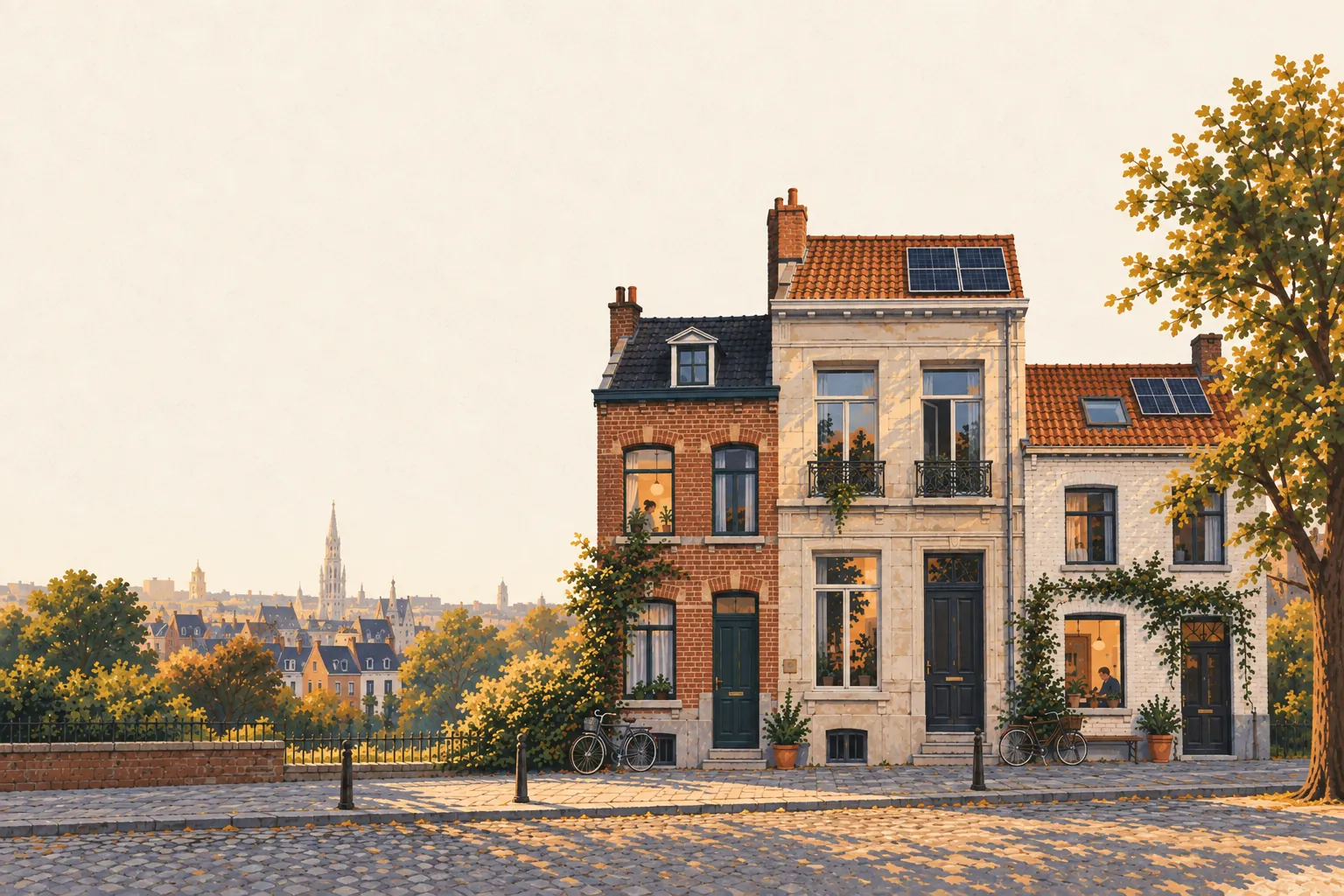
2.4 kW shared between neighboursExample · a sunny afternoon
What would you like to do?
Receive a neighbour’s solar electricity
No panels? A neighbour shares their surplus with you. You keep your supplier.
How it works →Share my surplus
Do your panels produce more than you use? Share that surplus with your neighbours.
How it works →Organise a building or a group
Apartment building, association or municipality: what the organiser does, step by step.
How it works →Follow my consumption live
With or without panels, with or without sharing. The dongle costs €20.
See the dongle ↓No neighbour to share with yet? Tell us where you live →Already sharing? Add Amber Energy →
What the app does
Live
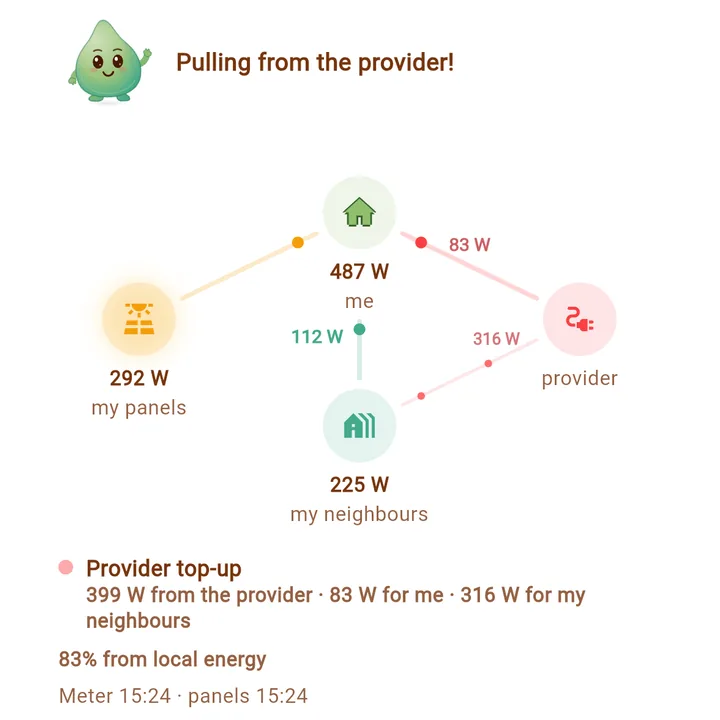
What you use and where it comes from: your panels, your neighbours or the supplier. Right now. To see your panels, your inverter must be a Huawei, a SolarEdge, a Solis or a Sungrow.
Your day
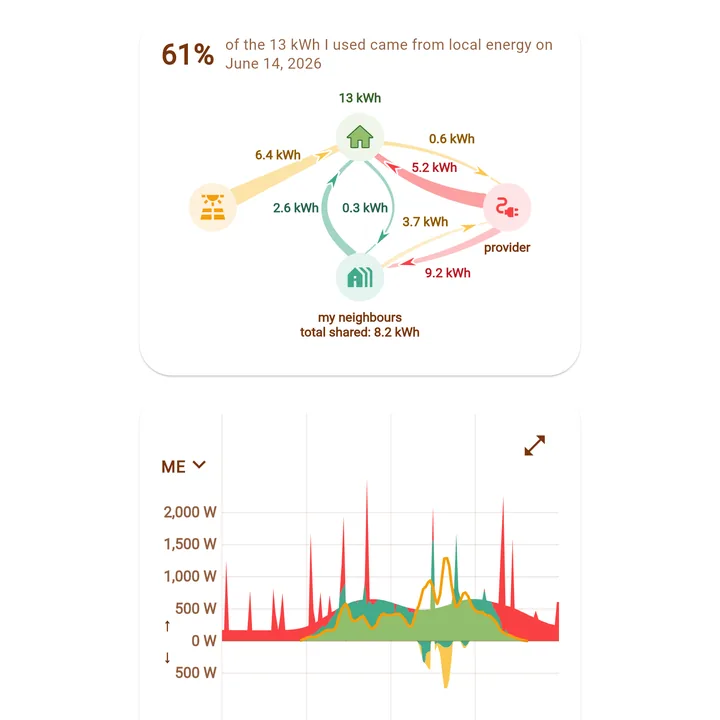
When the sun was there, and when you could make the most of it.
History
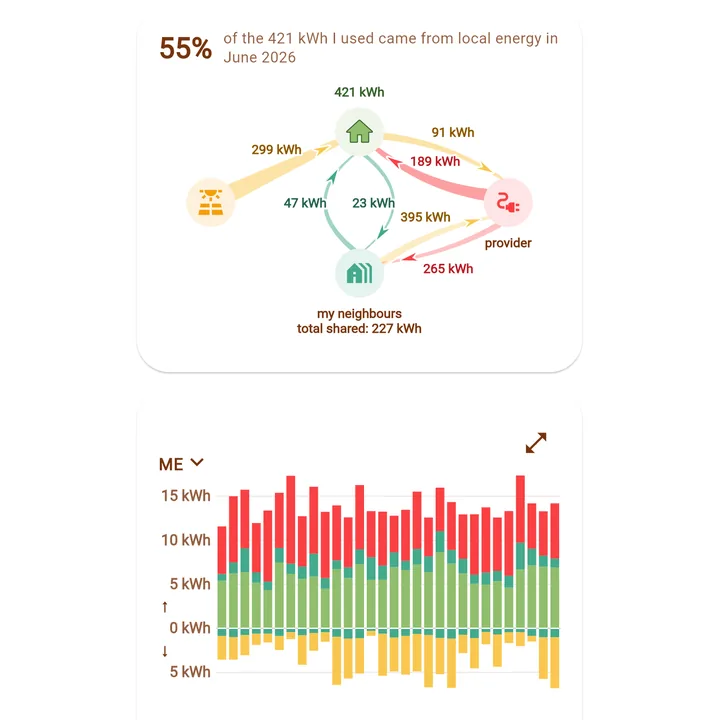
Day by day, month by month, year by year: where your electricity came from.
Managing the sharing
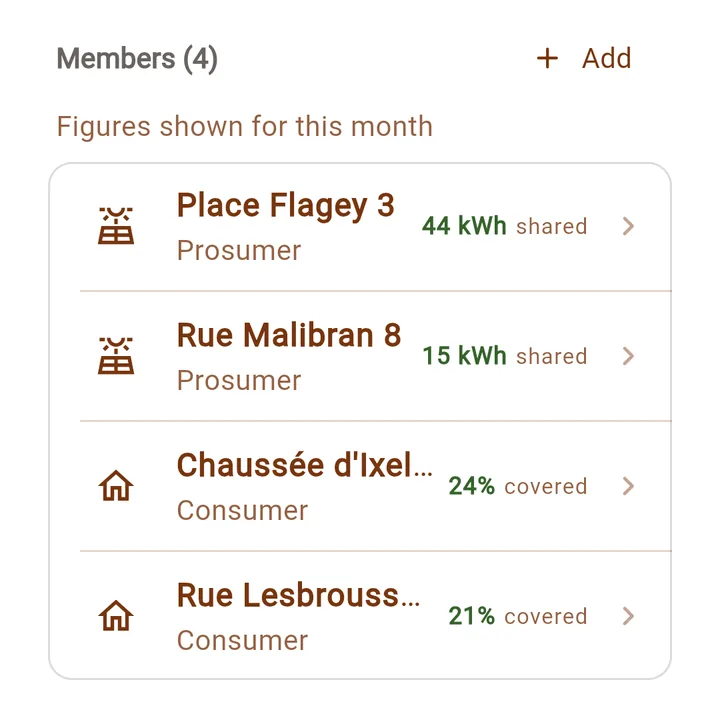
For whoever manages the sharing: invite members, see how the energy is split and prepare the bills each month from Sibelga’s report.
Screens from the app, with the demo’s data. The shared part shown in the app is a live estimate. Billing uses the official volumes from your grid operator (Sibelga in Brussels), which may differ slightly.
THE DONGLE
A small box on your meter, for €20.
- What it is: a small box that plugs into the P1 port of your smart meter.
- What it does: it reads your meter continuously and sends the readings to the app over your Wi-Fi.
- What you need: a smart meter, and Wi-Fi within reach of the meter. In Brussels the P1 port is open by default; in Wallonia and Flanders, first ask your grid operator to open it.
- Without panels: you see your consumption live and your history. In a sharing, you also see the electricity you receive from your neighbours.
- With panels: you also see what you produce, what you use yourself and your surplus, if your inverter is a Huawei, a SolarEdge, a Solis or a Sungrow. Another brand? Write to us.
- The price: €20, paid once. The app is free during testing. If the app ever becomes paid, nothing will be charged without your agreement.
How does it work?
Create your account
Choose ‘Just me’ to follow your household: that is where you order the dongle.
Receive the dongle and plug it in
We arrange delivery and help you install it. We check with you that the readings arrive.
Follow your electricity
Live, and day after day in the history. The app also works without sharing.
ALREADY SHARING
Do you already have a sharing?
Add Amber Energy to your sharing: whoever manages the sharing chooses ‘Set up a sharing’ when signing up and invites the other members, who choose ‘I was invited’. Your agreement doesn’t change.
- Each member sees live what they give and what they receive.
- Whoever manages the sharing sees the whole group’s figures. In a building, they also prepare the bills in the app.
- Every type of sharing: peer to peer, within one building or in an energy community.
Who is behind Amber Energy?
Amber Energy is developed in Brussels. The app is in a test phase, with a few Brussels households using it at home.
We are the ones who send you the dongle, help you plug it in and answer your questions.
A question? Write to us at contact@amber-energy.be. The company’s name and address are at the bottom of this page.